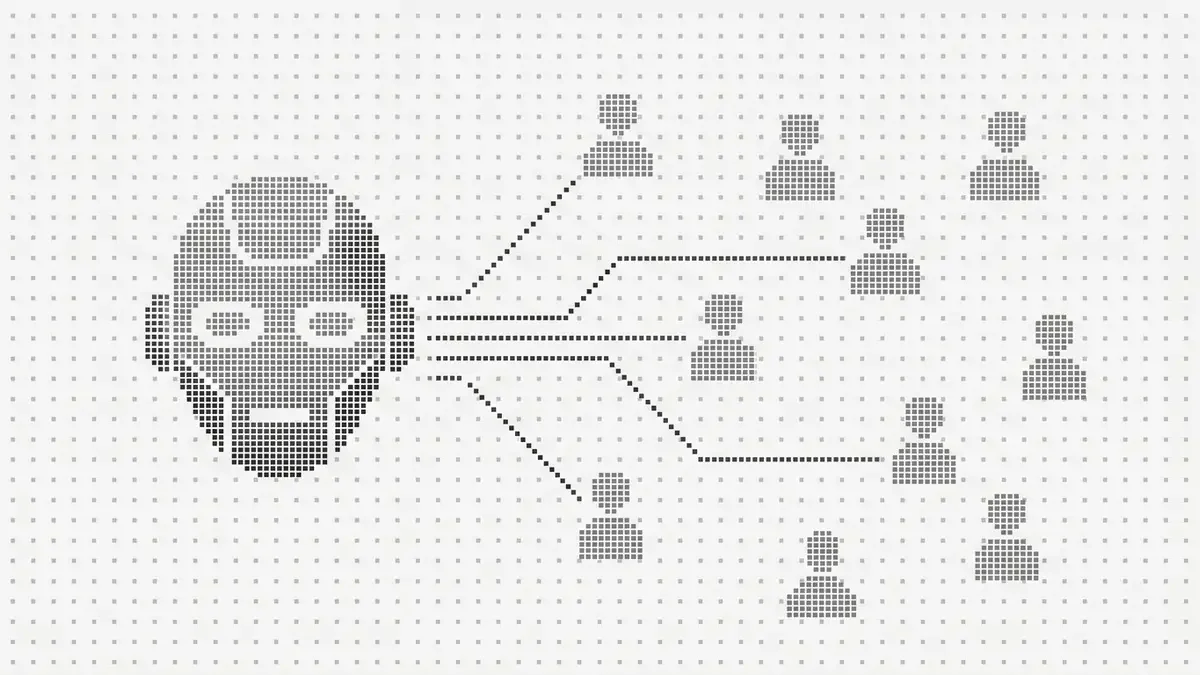

Your marketing team just installed a visitor identification tool. Suddenly you have a dashboard full of names, emails, and company data for people who visited your website. Now what?
This is the moment most companies fumble. They dump identified visitors into the same cold outbound sequences they’ve always used - generic templates, slow follow-up, no behavioral context - and wonder why response rates barely improve.
Identified visitors are not cold leads. They’ve already been to your site. They’ve seen your product. They arrived with intent and left without converting. That demands a completely different playbook.
I’ve watched hundreds of sales teams roll out visitor identification. The ones who build a dedicated motion around it book 3-5x more meetings from the same data. This is the playbook they use.
Why Identified Visitors Are Different from Every Other Lead Source
Before we get into tactics, you need to internalize one thing: an identified visitor is warmer than any lead you’ll get from a purchased list, a conference badge scan, or a cold database pull. They chose to visit your website. That’s signal.
Here’s how identified visitors compare to other lead sources your SDR team works:
| Lead Source | Awareness Level | Typical Response Rate | Context Available |
|---|---|---|---|
| Cold list (ZoomInfo, Apollo) | Zero - never heard of you | 1-3% | Company info only |
| Conference/event lead | Low - met briefly | 5-8% | Business card + conversation |
| Content download | Medium - engaged with a topic | 8-12% | Which content they downloaded |
| Identified website visitor | Medium-High - researched your product | 15-25% | Exact pages viewed, time spent, return visits |
| Inbound demo request | High - raised their hand | 30-50% | Self-reported interest |
Research from Gartner confirms that B2B buyers are 70%+ through their evaluation before contacting sales - meaning identified visitors are often further in the buying journey than they appear. They just haven’t raised their hand yet.
Identified visitors sit in the sweet spot: higher intent than any outbound lead, with richer behavioral context than most inbound leads. The only thing they didn’t do is fill out a form.
Your job as an SDR is to bridge that gap - turn their silent research into a conversation.
Step 1: Set Up Your Prioritization Framework
Not every identified visitor is worth an immediate call. A pricing page visitor from a target account is not the same as a blog reader from a one-person consultancy. You need a scoring system.
The Visitor Intent Matrix
Score every identified visitor on two axes: behavioral intent (what they did on your site) and fit (how well they match your ICP).
Behavioral Intent Scoring:
| Behavior | Intent Score | Why |
|---|---|---|
| Pricing page visit | +5 | Actively evaluating cost |
| Demo/trial page visit | +5 | Ready to engage |
| Comparison page (vs competitor) | +4 | Deep in evaluation |
| Case study or testimonial page | +4 | Looking for validation |
| Product/features page | +3 | Exploring capabilities |
| Integration docs | +3 | Checking technical fit |
| Multiple pages in one session | +2 | Active research session |
| Return visit (2nd+ time) | +3 | Sustained interest |
| Blog post only | +1 | Early research or casual |
Fit Scoring:
| Factor | Fit Score | Details |
|---|---|---|
| Target account list match | +5 | Named account |
| ICP industry match | +3 | Right vertical |
| Company size in range | +2 | Right scale |
| Decision-maker title | +3 | VP, Director, C-level |
| Individual contributor | +1 | Potential champion |
| Outside ICP | 0 | Deprioritize |
Priority Tiers
| Tier | Total Score | Action | Timing |
|---|---|---|---|
| P1 - Hot | 8+ | Immediate personalized outreach | Within 1 hour |
| P2 - Warm | 5-7 | Same-day personalized outreach | Within 4 hours |
| P3 - Interested | 3-4 | Next-day outreach or nurture sequence | Within 24 hours |
| P4 - Low | 0-2 | Add to marketing nurture | Automated |
The golden rule: P1 visitors get worked within the hour. Everything else can wait. But P1s can’t. The data shows response rates drop from 22% to 9% between the first hour and the next day. Set up real-time Slack alerts to make sure P1 visitors never sit in a queue.
Step 2: Craft Behavior-Based Outreach Templates
Generic “I’d love to learn about your challenges” emails fail with identified visitors because they ignore the most powerful asset you have: you know what they were looking at.
Here are field-tested templates for the five most common visitor behaviors.
Template 1: Pricing Page Visitor
Subject: Quick question about [Company]’s evaluation
Body:
Hi [First Name],
I work with [similar companies / companies in their industry] on [your category - e.g., visitor identification]. Noticed your team might be exploring solutions in this space.
Quick question - are you comparing options right now, or more in the early research phase? Either way, happy to share what we’re seeing work for teams like yours.
No pitch, just context. Worth a 10-minute call this week?
[Your name]
Why it works: Acknowledges their research without being creepy. Offers value (“what we’re seeing work”) instead of asking for a demo. Low-commitment ask.
Template 2: Comparison Page Visitor ([You] vs Competitor)
Subject: [Your Product] vs [Competitor] - one thing most miss
Hi [First Name],
When teams compare [Your Product] to [Competitor], the biggest difference usually comes down to [key differentiator - e.g., “match rates: 30-40% vs. 5-15%”].
Happy to walk through what that looks like in practice for [their company]. Takes about 10 minutes and saves a few hours of back-and-forth research.
Open to a quick call?
Why it works: Directly addresses the comparison they were researching. Leads with the differentiator. Positions you as saving them time.
Template 3: Case Study / Social Proof Visitor
Subject: How [similar company] solved [problem]
Hi [First Name],
Saw your team has been looking into [your category]. We recently helped [similar company in their industry] [specific result - e.g., “identify 3,800 monthly visitors they were losing, adding $240K in pipeline”].
Would it be useful to hear how they set it up? Happy to share specifics.
Why it works: They were already reading proof. Give them more proof. Make it about their peer, not about you.
Template 4: Multiple Pages / Deep Research Session
Subject: Looked like a thorough evaluation
Hi [First Name],
Your team’s been doing some solid research on [category]. I’m guessing you’re either building a business case internally or comparing a shortlist.
I’ve helped a lot of teams at this stage cut through the noise. Two things worth knowing:
- [Key insight about your product / market]
- [Differentiator that matters for their likely use case]
Worth a quick call to fill in any gaps?
Why it works: Acknowledges depth of research. Positions you as helpful, not pushy. Two concrete points create curiosity.
Template 5: Return Visitor (2nd+ Visit)
Subject: Circling back on [category]
Hi [First Name],
Looks like [your category] is still on your radar. When teams come back for a second look, it usually means the evaluation is getting more serious.
Want me to put together a quick comparison based on what you’re evaluating? No strings - just saves you some time.
Why it works: Return visits are strong intent. Calling it out (gently) shows attentiveness. Offering a comparison plays to their current activity.
Step 3: Build Your Multi-Channel Sequence
One email is not a strategy. But spam isn’t either. Research from HubSpot’s sales research shows it takes an average of 8 touches to get a first meeting - but fewer when the prospect already knows your brand. Here’s the sequence structure that performs best for identified visitors.
P1 (Hot) Sequence - 7 Touches Over 10 Days
| Day | Channel | Action |
|---|---|---|
| 0 | Behavioral template (from above) | |
| 0 | View their profile (creates notification) | |
| 1 | Send connection request with short personalized note | |
| 2 | Follow-up: share relevant resource (case study, comparison, blog post) | |
| 4 | Phone | Call attempt - brief, reference your email |
| 6 | New angle - address a common concern or objection | |
| 10 | Breakup email - direct, respectful close |
P2 (Warm) Sequence - 5 Touches Over 14 Days
| Day | Channel | Action |
|---|---|---|
| 0 | Behavioral template | |
| 2 | Connection request | |
| 5 | Value-add follow-up (industry insight or content) | |
| 9 | Phone | Call attempt |
| 14 | Soft close |
P3 (Interested) Sequence - 3 Touches + Nurture
| Day | Channel | Action |
|---|---|---|
| 1 | Light touch - educational content related to pages visited | |
| 7 | Second touch - different angle | |
| 14 | Add to long-term marketing nurture if no response |
Sequence Rules
- Stop immediately if they respond - even a “not interested” gets a polite acknowledgment and removal
- Never mention specific pages or timestamps - say “exploring solutions” not “you visited our pricing page at 3:47 PM”
- Vary the angle each touch - don’t repeat the same value prop
- Personalize the first touch, semi-automate the rest - the opening email should feel hand-written; follow-ups can be templated
- Log everything in CRM - tag the lead source as “identified visitor” for attribution
Step 4: Master the Messaging Boundaries
This is where SDRs most often get it wrong. There’s a line between “relevant” and “creepy” - and crossing it kills trust.
What You Can Reference
| Safe to Say | Why It Works |
|---|---|
| “Your team has been exploring [category]” | Vague enough, implies market awareness |
| “Companies like yours typically evaluate…” | Frames it as industry knowledge |
| “I work with a lot of [their industry] teams” | Establishes relevance without surveillance |
| “Noticed your team might be in-market” | Implies general signal, not specific tracking |
What You Should Never Say
| Don’t Say This | Why It Fails |
|---|---|
| “I saw you on our pricing page yesterday” | Feels like surveillance |
| “You spent 4 minutes reading our case study” | Too specific, uncomfortable |
| “You’ve visited our site 3 times this week” | Stalker energy |
| “I noticed you compared us to [Competitor]” | Reveals too much tracking |
The principle: Reference their intent, not their activity. “You’re evaluating solutions” is fine. “You clicked on our pricing tab at 2:14 PM” is not.
Step 5: Set Up Your Daily Workflow
Here’s what a high-performing SDR’s daily routine looks like with identified visitors as a primary pipeline source:
Morning Block (30 minutes)
- Check overnight visitors - Review P1 and P2 visitors from after-hours traffic
- Prioritize - Stack-rank by intent score + fit score
- Research - 2-3 minutes per P1: check LinkedIn, recent company news, role context
- Send first batch - Personalized emails to all P1s from overnight
Midday Block (20 minutes)
- Check real-time alerts - Any new P1s from morning traffic
- Send follow-ups - Day 2, Day 4, Day 6 touches from active sequences
- LinkedIn engagement - Accept connections, respond to replies
Afternoon Block (20 minutes)
- Phone block - Call P1s who haven’t responded to email (Day 4+ in sequence)
- Process P2s and P3s - Send initial outreach or add to nurture
- Update CRM - Log all activities, update lead stages
Weekly Review (30 minutes)
| Metric | Track This |
|---|---|
| Identified visitors received | Volume trend |
| P1 visitors worked within 1 hour | Speed compliance |
| Response rate by template | Which messaging works |
| Meetings booked from identified visitors | Conversion effectiveness |
| Pipeline created from identified visitors | Revenue attribution |
Expected Results: What Good Looks Like
Based on what we’ve seen across teams using this playbook with Leadpipe:
| Metric | Without Playbook | With Playbook |
|---|---|---|
| Response rate to identified visitors | 5-8% | 15-25% |
| Meeting rate | 1-2% | 4-8% |
| Time to first outreach (P1) | 1-3 days | Under 1 hour |
| Pipeline from identified visitors / month | Low | 20-40% of total pipeline |
| SDR meetings booked / week | +2-3 | +5-10 |
The teams that follow this playbook consistently report that identified visitors become their highest-converting lead source after inbound demo requests - and with 10-50x the volume.
Tool Stack
| Function | What to Use |
|---|---|
| Visitor identification | Leadpipe - 30-40% match rate, person-level data (benchmarks by industry) |
| Real-time alerts | Slack integration or CRM webhook |
| Email sequences | Apollo, Outreach, Salesloft, Reply.io |
| LinkedIn Sales Navigator + manual outreach | |
| CRM | HubSpot, Salesforce, Pipedrive |
| Enrichment | Leadpipe + Clay + HubSpot for enriched workflows |
Start Building Your Identified Visitor Pipeline
The SDRs who win in 2026 aren’t the ones sending more cold emails - that channel is collapsing. They’re the ones who know - before the first outreach - that their prospect has already been to the website, what they looked at, and what they care about. And they’re doing it across desktop and mobile.
That’s the advantage visitor identification gives you. Not a bigger list. A smarter one.
Get started with Leadpipe:
- 500 free leads included
- Person-level identification (name, email, phone, LinkedIn)
- Real-time Slack and CRM alerts
- See exactly which pages each visitor viewed
Frequently Asked Questions
How many identified visitors will my SDR team receive per day?
It depends on your website traffic and Leadpipe's match rate for your audience (typically 30-40%). A B2B site with 25,000 monthly visitors will generate roughly 250-330 identified visitors per day. After prioritization, expect 10-30 P1/P2 leads per day that warrant personalized SDR outreach - the rest go into automated nurture sequences.
Should I tell prospects I know they visited my website?
No. Never say 'I saw you on our website.' Instead, reference their likely intent: 'Your team has been exploring solutions in [category]' or 'I work with companies like yours who are evaluating [solution type].' This positions you as knowledgeable about the market, not as someone tracking their browsing. The boundary is between referencing intent and revealing surveillance.
How do I handle identified visitors who work at existing customer accounts?
Flag them separately. If a new contact at an existing customer visits your pricing or features page, it could signal expansion interest, a new department evaluating, or churn risk (if they're comparing competitors). Route these to your account management team, not your SDR team. This is often the most valuable signal visitor identification surfaces.
What if my sales team is already at capacity with inbound leads?
Identified visitors should supplement inbound, not compete with it. If SDRs are fully loaded, start by adding identified visitors only for target accounts (P1 tier). Even working just 5-10 high-intent identified visitors per day can add 3-5 meetings per week. As you prove the ROI, make the case for dedicated headcount or capacity.
Can I automate outreach to identified visitors instead of having SDRs do it manually?
You can automate P3 and P4 tiers - low-intent visitors who aren't worth manual effort. But for P1 and P2 visitors (pricing page visitors, comparison shoppers, return visitors from target accounts), manual personalization consistently outperforms automation by 3-4x on response rates. The first touch should always feel hand-written for high-intent prospects.
Related Articles
- 10 Best Website Visitor Identification Software
- 5 Best B2C Visitor Identification Tools
- How to Identify Anonymous Website Visitors
- Top 5 B2B Website Visitor Identification Software
- Cross-Domain Visitor Identification
- The Visitor-to-Conversion Gap: A Data Study - The data behind why this playbook works
- Visitor ID + Slack: Real-Time Lead Alerts - Set up instant notifications for P1 visitors
- Visitor Identification Benchmarks: 12 Industries - Expected match rates for your sector
- Midbound Is Replacing Cold Outreach - The strategy behind identified visitor outreach
- Mobile Visitor Identification Guide - Why 60% of traffic needs cross-device identification
- Website Visitor Identification for Sales Teams - Broader sales team guide
- Leadpipe + Clay + HubSpot Integration Guide - Enrichment workflow setup
- Sales-Marketing Alignment with Visitor Data - How visitor data bridges the gap between sales and marketing
Stop cold-calling strangers. Start having conversations with people who already know your name.